
Introducing clay-rpi-matrix
Published:
Using a high performance layout engine when you only have 2000 pixels
In a rare success (for me, at least) of the algorithmically-suggested internet, YouTube recently started surfacing Nic Barker’s videos in my recommendations. I had never previously interacted with his videos, or his code, but they’re well produced and cover topics that interest me like data oriented design.
One of his recent-ish projects, which was the topic of the first video I watched in full, is clay. Clay (C Layout) is a library for doing the kinds of things CSS/HTML do - laying out nested hierarchy’s of declarative UI items, expanding to fit text, etc.
It’s a rather nifty library, and the design is very nicely modularized, separating laying out a UI from actually rendering it. It turns out, rendering a UI once it is laid out mostly just requires you to be able to draw some rectangles and text, so it’s a nice, small API surface to generalize over.
Clay piqued my interest, but I am not often working on GUIs (and when I am, I have access to HTML/CSS, and might as well use that). But I do work on a project that needs to control a display.
The mlb-led-scoreboard project predates my fascination with baseball, but a pandemic rewrite and MLB API deprecation landed me a maintainer role in this small-but-dedicated community.
I even got shipped a hand made wooden frame for my matrix as a thank-you by a user:
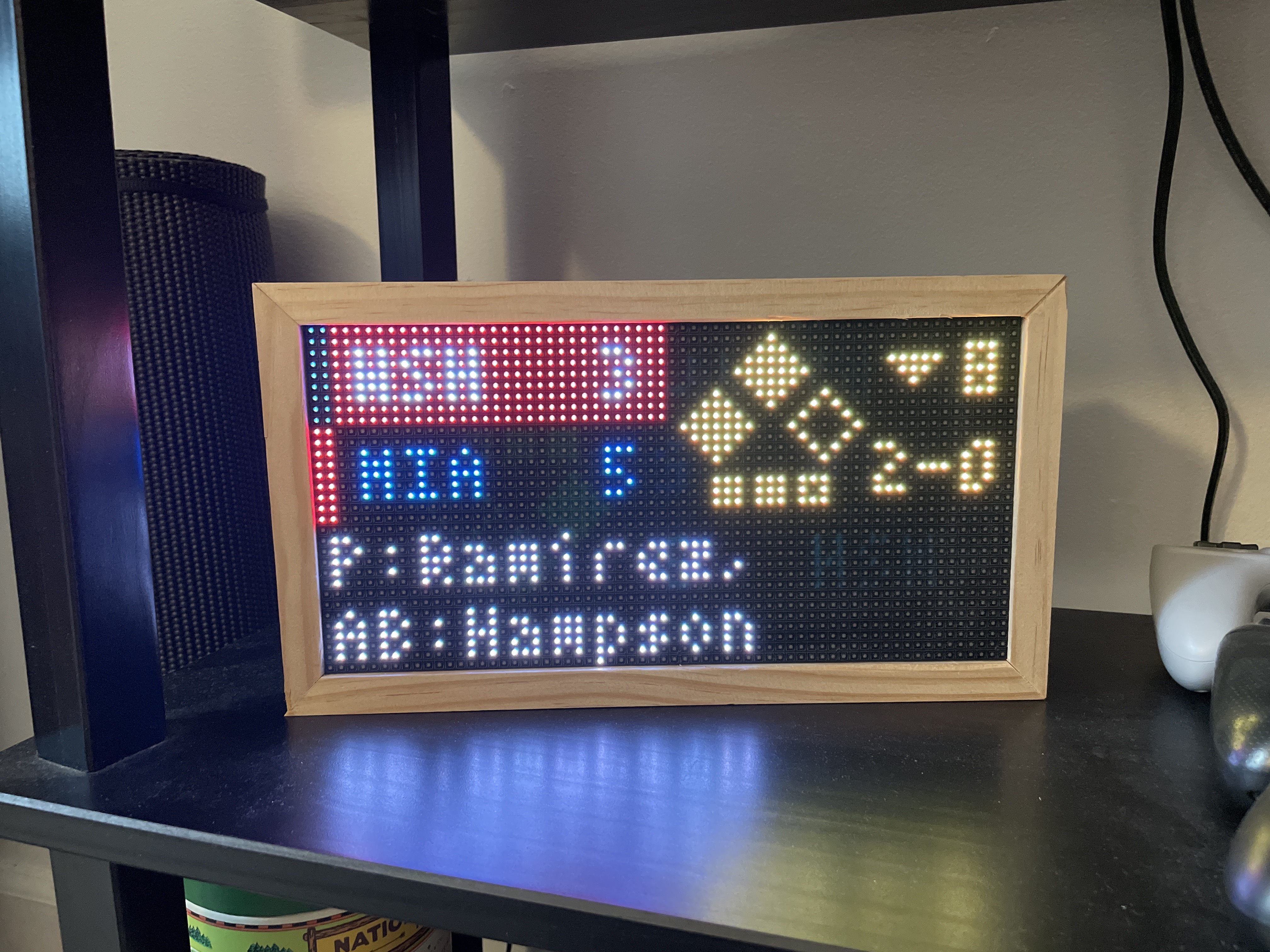
These matrices are quite small. Mine shown above is 64 pixels wide by 32 tall. The smallest we “support” is 32x32, and the largest is 192x128 (which, I believe, is only possible by chaining several smaller matrices together).
The UI is essentially entirely hard-coded, with customization primarily coming from letting you tweak a coordinates.json file. This allows a lot of customization, but is still limiting if you have a vision that we didn’t anticipate or provide a flag for. And it’s entirely absolutely positioned - you need to count pixels and do some back-of-the-envelope math to get a nice looking result.
Anyway, if it’s not immediately obvious where this is going, I decided to throw a layout engine powerful enough that its own website is implemented in a WASM-compiled version of itself at a LED Matrix with 2,048 total pixels.
The clay-rpi-matrix library is the result. It’s a bit rough around the edges, and I made some choices for simplicity, like including all the dependencies as submodules and keeping the entire implementation in one #include-able .c file, but it does enough of the basics to be usable in pratice.
Rendering
There already exists a fantastic open source library for actually “driving” the matrices from Raspberry Pi’s, so the project essentially consists of translating the render commands that clay outputs into calls of that API, which provides a C wrapper for convenience (though I did need to upstream one small patch to get text rendering sizes properly working).
The trickiest bits are around rounded corners, since the native support for circles in such an environment is poor. Rather than using something clever like Bresenham’s algorithm, I ended up just doing the simple double for-loop. The biggest circle you can draw is only gonna be so big on these things, and I think even an old Pi can run C fast enough for it to not really matter…
Besides that, it was all pretty straightforward. I found the existing Raylib renderer for clay to be the most readable, so that was my template. The result?
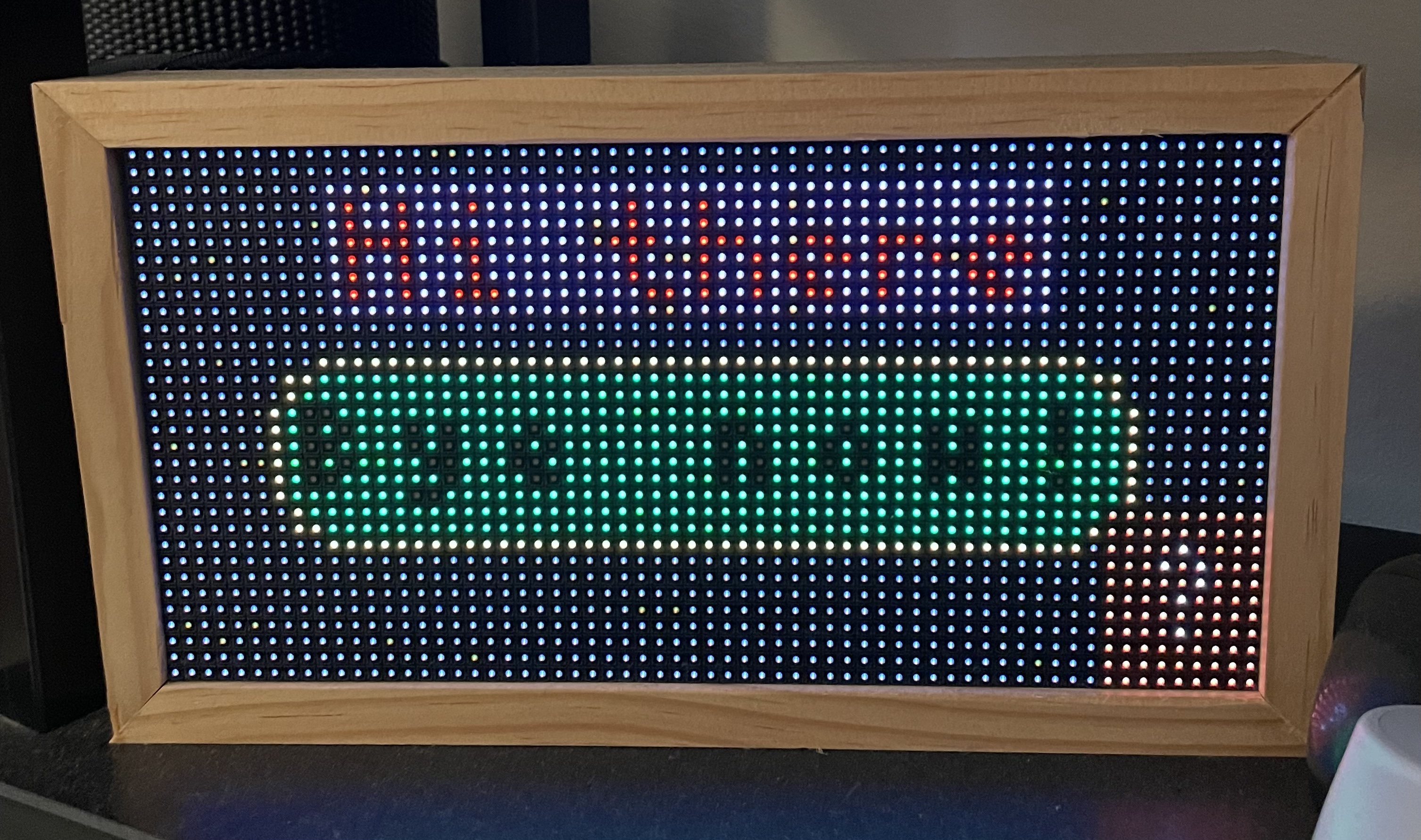
Is this silly?
Yes.
Will we even use it for the scoreboard project?
Doubtful, since we have so much work already invested and so many existing configs out there… not to mention that, while a clay layout is in theory much more able to be customized, it does generally require a recompilation if changed.
But, it gave me an excuse to write some C with some nice libraries and embrace the “simplicity” people always talk about.